Quickly customize your coding environment
You can interview in more than 40 language environments in CoderPad.
To switch languages in a pad, simply click on the Languages option in the left navigation menu and select a language from the list.
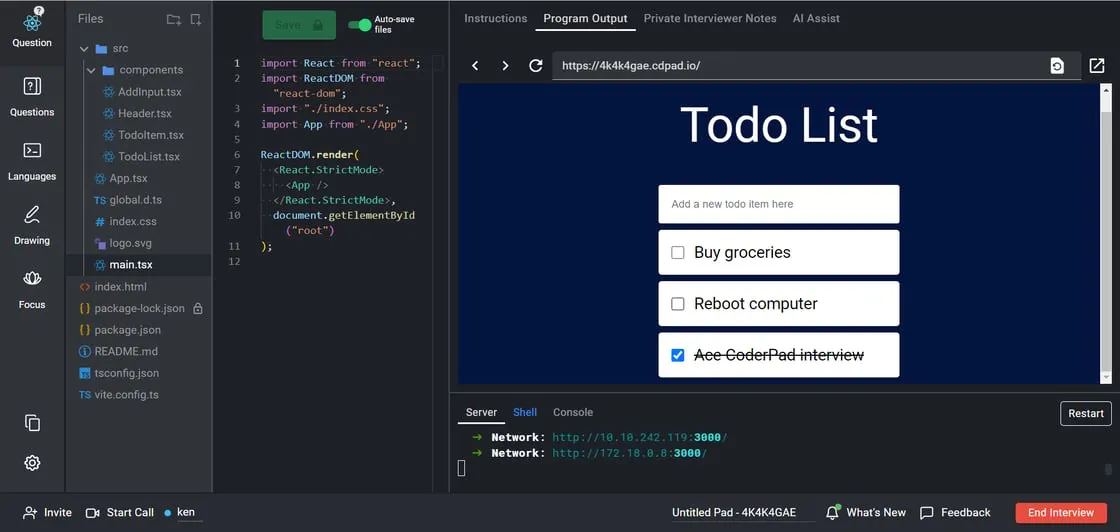
When your pad opens up, you'll find a familiar Monaco-based code-editor, similar to Visual Studio. Certain environments, like multi-file projects and the frontend and backend frameworks, also allow you to test candidates' familiarity with writing multi-file applications.
Additionally, with frontend frameworks, you can see their rendered UI…
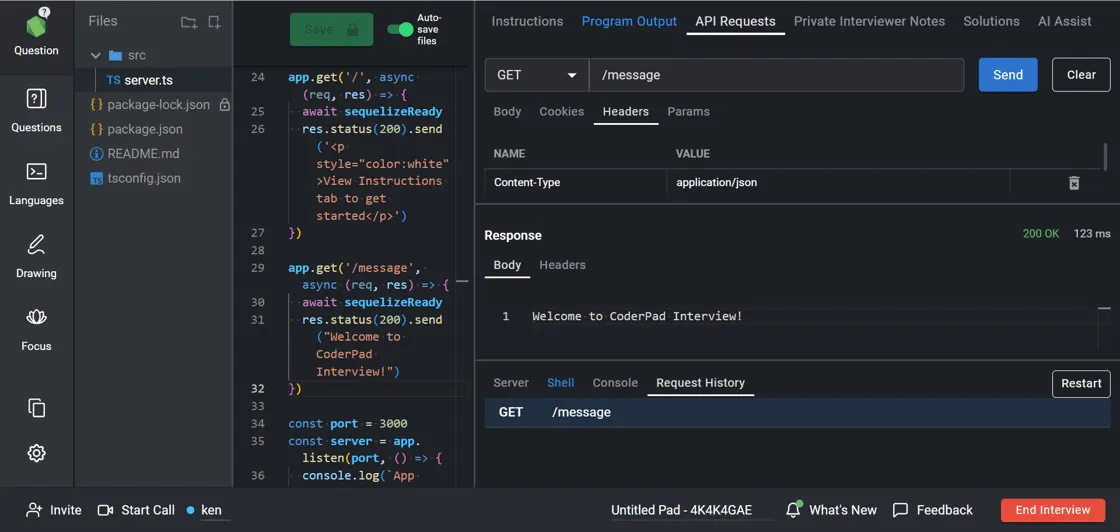
And with backend frameworks, you can readily assess their API skills with the in-app API request tool.
Once you have the pad set up how you want it, you can easily save it as a question that you can use for multiple candidates – no need to create the exercise from scratch for each interview. To do this, simply hover over the tab of the environment you'd like to save, and select 'Save code as draft question'.
From there you'll edit your question in the question wizard. Once you complete the creation process, you'll be able to access the question in a pad by selecting the Questions button in the left navigation menu and selecting your question from the list.
For more information on creating and using questions, you can check out the Creating and editing questions doc.
Happy Hiring, CoderPad Team
CoderPad, 44 Montgomery Street, Floor 3, San Francisco, CA 94104, United States. Manage preferences